
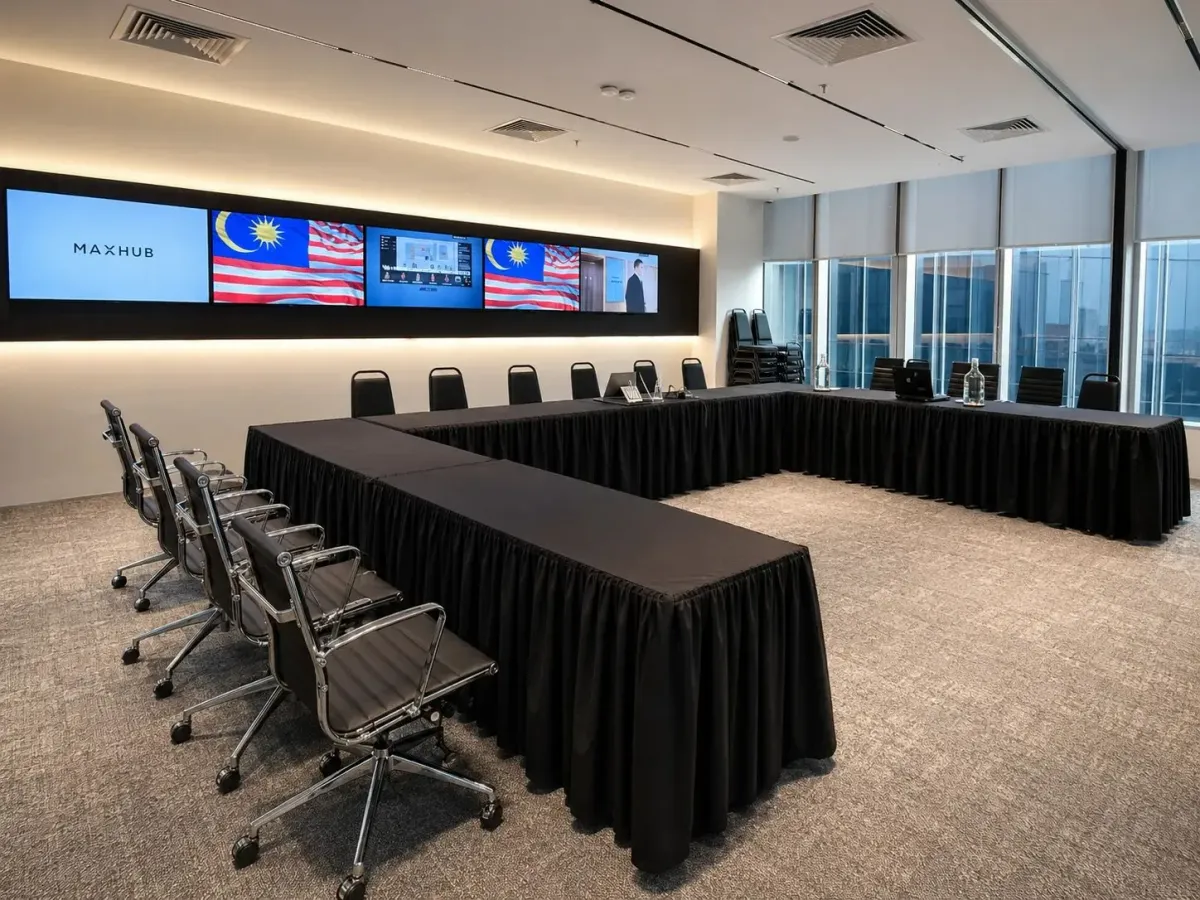
Training Room Rental KL: Choosing the Right Setup
For training room rental in KL, start with the capacity in your required layout, then check the equipment included and the total booking cost. If participants need tables for laptops or written exercises, use the classroom capacity when comparing venues. At Maxsmart Event Space, the Synergy Suite accommodates up to 36 guests in classroom layout, compared with up to 72 in theatre seating.
Match the layout to how your participants will learn
A room's largest advertised capacity may refer to rows of chairs without tables. That arrangement can suit a presentation, but your requirements change when participants need somewhere to write or work on a laptop. Ask for the capacity in the layout you actually intend to use.
Classroom seating gives participants a table surface while they face the trainer. For a course built around demonstrations followed by individual exercises, this is a useful starting point. Check that the proposed arrangement also leaves the trainer space to move between participants.
Group exercises deserve a separate conversation about the layout. Cluster seating may suit collaborative work, while a U-shape can support discussion around an open centre. Neither arrangement should be assumed to hold the same number of guests as classroom seating.
Share the activities in your agenda alongside the headcount. If you need space for practical demonstrations or equipment, ask whether the advertised capacity still works with those requirements. A layout photograph is helpful, but a plan prepared for your session gives you a clearer basis for deciding.
Check the screen and sound against your course materials
Presentation equipment should suit the material you teach. A slide with a large heading makes different demands from a spreadsheet or a detailed software demonstration. Ask how your content will appear from the back of the proposed classroom arrangement.
If your trainer uses annotations, check whether the room supports writing on the display or a digital whiteboard. Confirm how the laptop connects and whether the trainer needs an adaptor. These details belong in the preparation conversation, before everyone arrives.
Sound needs the same attention. Ask what the PA system includes and how questions from participants will be heard. If your session uses video clips, include a playback check in the preparation plan.
For remote participants, confirm the meeting platform and how the room will capture discussion. The presence of a camera alone doesn't answer whether an online guest can hear an audience question. Agree on how the trainer will manage questions from both groups.
Clarify technical support and online learning needs
Ask whether technical help is included in the rental, and what that support covers. Room preparation and assistance with connections are useful, but they don't replace a trainer's familiarity with their own presentation software. Make the responsibilities clear before the training day.
Internet requirements should reflect the course. Participants who only download a workbook have different needs from a class using browser-based exercises throughout the session. Tell the venue how participants will use the connection and confirm any access requirements.
For laptop-based training, ask about power sockets and the proposed cable arrangement. Don't assume that Wi-Fi availability also means every classroom seat has charging access. Confirm any extension leads or adaptors your session needs.
If recording forms part of the programme, agree on the recording method and how the file will be provided. Also establish who will inform participants and manage permissions. Treat these as arrangements to confirm, rather than assumptions attached to a general equipment list.
Plan arrival and breaks around the training agenda
When comparing locations across KL, consider how your participants will reach the actual room. An address near public transport is helpful, but guests also need the correct building entrance and lift instructions. Give them enough information to arrive without having to call the trainer for directions.
For guests driving, establish whether parking is included or paid separately. Share the car park details in advance and distinguish the room booking cost from participants' travel expenses. This helps your administrator prepare a more complete budget.
Meals and breaks also need a clear arrangement. Ask whether the room rate includes drinks, and whether catering has a separate charge. Confirm dietary requirements before you finalise the order.
At Maxsmart Event Space, the venue is on Level 13, Corporate Tower 2, Pavilion Damansara Heights, Kuala Lumpur. Pusat Bandar Damansara MRT connects to the mall by a covered walkway, and guests pay separately for parking at Pavilion Damansara Heights. Catering is available on request, so meal arrangements should be confirmed alongside your agenda.
Compare the complete booking cost and conditions
Compare quotations using the same layout and booking duration. A lower hourly rate isn't enough information if the room needs additional equipment or a different package to accommodate your course. Ask for a total that reflects the session you intend to run.
Confirm whether the booked time includes your preparation and pack-down. Your training agenda may fill the teaching hours, leaving little room for testing equipment or collecting materials afterwards. Any access outside the reserved period needs agreement.
Read the cancellation conditions before payment, especially if participant attendance is still being confirmed. Promotional bookings may have different terms from standard bookings. Weekend and public holiday fees also deserve a separate line in your budget.
For a fuller explanation of our room inclusions and booking process, see Meeting Room Rental KL: Inclusions and How to Book. The same preparation questions are useful when you're organising training, particularly when someone else in your company handles payment.
How Maxsmart Event Space fits a classroom training session
For a session requiring tables, the Synergy Suite's classroom capacity is up to 36 guests. Its theatre capacity is up to 72, so the larger figure applies to a different arrangement. U-shape layouts are available on request, with the setup confirmed around your needs.
The Nexus Executive Boardroom accommodates up to 18 guests in boardroom layout. It offers an alternative for a smaller discussion-based session where participants can work around a shared table. The right choice depends on the teaching format as well as attendance.
| Room | Relevant seating capacity | Standard hourly rate | Half day, 4 hours | Full day, 8 hours |
|---|---|---|---|---|
| Nexus Executive Boardroom | Up to 18, boardroom | RM300 | RM1,200 | RM1,800 |
| Synergy Suite | Up to 36, classroom | RM600 | RM2,300 | RM3,600 |
Hourly bookings have a minimum duration of 2 hours, and published prices include SST. Weekend and public holiday fees apply separately. Check the complete total for your chosen date and duration before paying.
The Synergy Suite includes a MAXHUB LED wall with supporting displays, a smart lectern and a professional PA system. Every room booking includes 1Gbps Wi-Fi, a tech assistant on site, USB-C and wireless screen sharing, a smart whiteboard and filtered water. Teams, Zoom, Google Meet and Webex are supported.
For companies making their first room booking, FIRST50 gives 50% off the room rate. Book by 30/11/2026 and hold your session by 31/12/2026; the weekend or public holiday fee remains at its usual rate. Standard online booking hours are 8:30am to 5:30pm Malaysia time, every day, and the site asks you to book at least 2 days ahead.
Frequently asked questions
How much does training room rental in KL cost at Maxsmart?
The Synergy Suite's standard rates are RM600 an hour with a 2-hour minimum, RM2,300 for a 4-hour half day and RM3,600 for an 8-hour full day. Prices include SST, while weekend and public holiday fees apply separately.
Can the Synergy Suite accommodate 36 people in classroom layout?
Yes, the Synergy Suite accommodates up to 36 guests in classroom layout. Its capacity of up to 72 applies to theatre seating, so confirm the classroom arrangement when planning a session that needs tables.
What equipment is included in the training room rental?
The Synergy Suite includes a MAXHUB LED wall with supporting displays, a smart lectern and a professional PA system. Every booking also includes 1Gbps Wi-Fi, an on-site tech assistant, USB-C and wireless screen sharing, a smart whiteboard and filtered water.
Is there a first-booking discount for the training room?
Companies booking a Maxsmart room for the first time can use FIRST50 for 50% off the room rate. Book by 30/11/2026 and hold the session by 31/12/2026; weekend and public holiday fees are charged at the usual rate.
Can I rent a training room at Maxsmart on weekends?
Yes, weekend and public holiday bookings are available online, with an additional fee. Standard booking hours are 8:30am to 5:30pm Malaysia time, and the site asks you to book at least 2 days ahead.
With your classroom headcount and session duration ready, check availability and book your training room at Maxsmart Event Space. Select the date and booking length that fit your programme.
