
How to Host a Town Hall Meeting Your Team Can Join In
To host a town hall meeting, decide what employees need to understand, build an agenda with protected question time, and prepare the room around how people will participate. Give your speakers clear roles and rehearse the full session, including the experience for colleagues joining remotely. Plan how unanswered questions will be followed up before you send the invitation.
Start with the purpose and the people
Write down the outcome you want in plain language. For a strategy update, that might be helping employees understand how the company's priorities affect their work. For an organisational change, it might be explaining what has been decided and where staff can raise concerns.
Use that outcome to choose the content. Ask each speaker what employees need to know or do after their update, and move detailed departmental reports into a separate briefing. This gives the town hall a clear purpose without asking everyone to sit through information intended for a smaller group.
Check who can attend before fixing the format. Consider colleagues working shifts, staff travelling between sites and anyone who needs an accessible route into the room. Your invitation should explain the purpose, attendance arrangements and how employees can submit questions.
Choose the format and build a workable agenda
An in-person town hall suits a team that can gather at the same location. A virtual session may be more practical when staff are widely distributed, while a hybrid format lets you bring a room together alongside remote colleagues. Choose according to where your people are and how they need to contribute.
For a hybrid session, assign someone to watch the online audience's questions while the host manages the room. Decide whether remote employees will speak directly or submit questions for the moderator to read. Include that process in the opening remarks.
The following 75-minute agenda is a planning example, rather than a fixed requirement. Keep the sequence flexible enough to put the most important message early, and protect the Q&A allocation when speakers prepare their material.
| Agenda item | Time | What to prepare |
|---|---|---|
| Welcome | 5 minutes | Purpose, participation arrangements and recording notice |
| Leadership update | 20 minutes | Main message and what it means for employees |
| Business updates | 15 minutes | Relevant progress, challenges and decisions |
| Questions and answers | 20 minutes | Submitted questions and contributions from both audiences |
| Recognition | 10 minutes | Accurate acknowledgements prepared with the relevant teams |
| Closing | 5 minutes | Agreed actions and how follow-up will be shared |
Keep the meeting's running time separate from the venue booking duration. Your booking also needs to accommodate preparation and rehearsal, with time to clear the room afterwards. Our corporate event planning guide helps you connect the programme with the wider arrangements.
Make Q&A comfortable and useful
Invite questions before the event so employees have time to think. Sharing the agenda beforehand is also recommended in Indeed's employer guide to town hall meetings. Keep a way to contribute during the session, as the presentations may prompt questions people hadn't considered earlier.
Explain how moderation works. If anonymous submissions are available, check what the chosen tool actually reveals before promising anonymity. Group repeated questions while preserving the concern behind them, and explain how personal employment matters will be handled privately.
Brief leaders to answer directly and distinguish confirmed decisions from matters still under review. When an answer isn't available, record who will respond and agree a follow-up date. Avoid making a commitment from the stage simply to bring an awkward exchange to a close.
The moderator should balance contributions from the room and the online audience. Read each question aloud before the answer, particularly when someone speaks without a microphone. Keep an unanswered-question log so the discussion has a clear continuation after the event.
Set up the venue for listening and participation
Choose the seating layout before confirming capacity. Theatre seating can suit a presentation-led town hall, while classroom seating gives employees a surface for notes. Tables or clusters may help when the programme includes discussion, but you should confirm the available capacity for that arrangement.
Walk the room from an attendee's perspective. Check whether the presentation is readable from the back and whether the lectern blocks anyone's view. Keep circulation routes clear, and agree where guests will arrive so latecomers can enter with minimal disruption.
Rehearse the audience questions as well as the slides
Test the route from an audience question to the room speakers and the remote call. Ask a colleague outside the venue to listen through the intended platform and report what they can hear. Include speaker changes and any video playback in the rehearsal.
Agree who controls slides, who cues speakers and who handles technical problems. Keep a local copy of the presentation, and decide how the host will continue if a remote connection drops. For a fuller equipment check, our hybrid meeting room setup guide covers clear sound and video.
Prepare the close and the follow-up
Give the host a written closing brief before the meeting begins. It should connect the discussion to the actions employees need to take and explain where further answers will appear. Leave room to add commitments made during Q&A.
After the session, prepare a concise recap with the agreed actions and their owners. Include unanswered questions with the promised response dates, and check any recording before sharing it through your company's approved channel. A recording should support colleagues who missed the event without replacing a clear written follow-up.
Ask employees whether the purpose was clear and whether they had a useful opportunity to contribute. Review those responses alongside the questions left unanswered. Use what you learn to adjust the next agenda and the way participation is managed.
How Maxsmart Event Space fits a company town hall
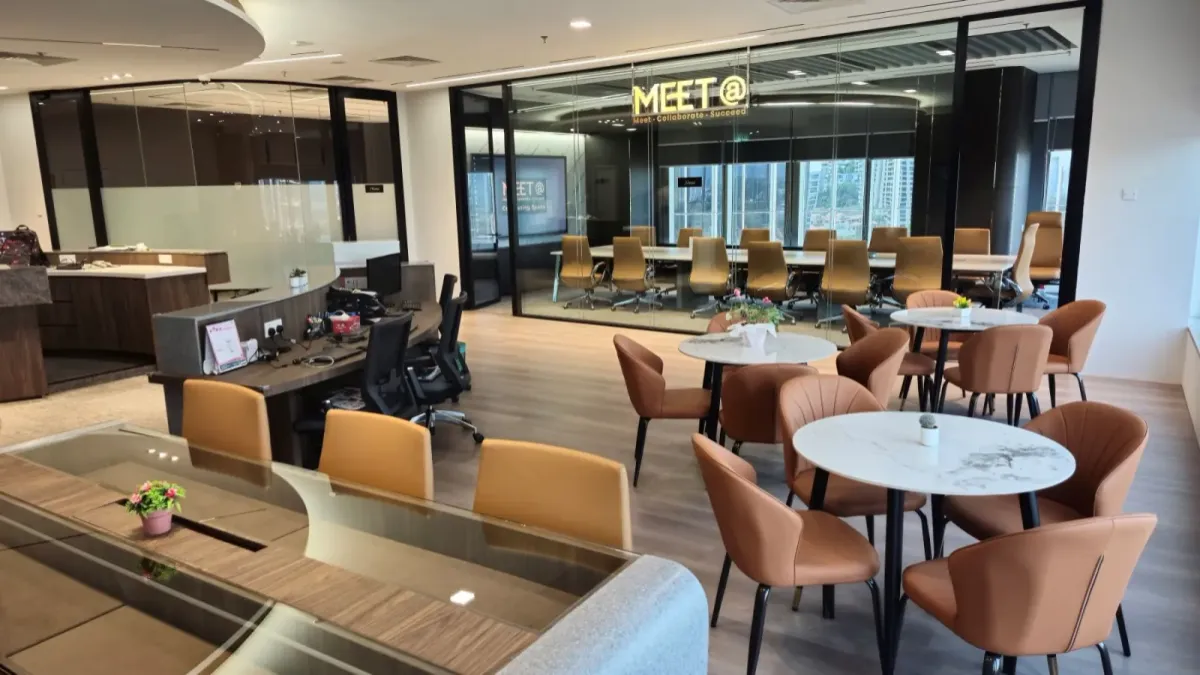
We welcome town halls at Maxsmart Event Space, Level 13, Corporate Tower 2, Pavilion Damansara Heights, Kuala Lumpur. Synergy Suite seats up to 72 in theatre style or 36 in classroom style, so confirm the layout before finalising attendance.
Synergy Suite's standard rates are RM600 an hour, RM2,300 for a half day or RM3,600 for a full day. Nexus Executive Boardroom seats up to 18 for a smaller team, at RM300 an hour, RM1,200 for a half day or RM1,800 for a full day. Hourly bookings have a two-hour minimum; listed prices include SST.
Every booking includes MAXHUB screens, 1Gbps Wi-Fi, a tech assistant, screen sharing and filtered water. Synergy Suite adds a PA system, smart lectern and live streaming. Catering is available on request.
FIRST50 gives eligible companies 50% off their first room booking. Book by 30/11/2026 and meet by 31/12/2026; weekend and public holiday fees remain payable at the usual rate.
Frequently asked questions
What should be included in a company town hall meeting?
Include a clear opening purpose, relevant leadership and business updates, protected Q&A time and a closing explanation of next steps. Add recognition where it fits the purpose, and prepare a process for following up unanswered questions.
How long should a town hall meeting last?
The example in this guide runs for 75 minutes, including 20 minutes for Q&A. Adapt the agenda to your purpose, and book enough venue time for preparation and rehearsal as well as the meeting itself.
How do you encourage employees to ask questions at a town hall?
Share the agenda and invite questions before the event, then keep a submission route available during the session. Explain how questions are selected, and offer anonymous submissions only when your chosen tool supports the privacy you promise.
What is the best room layout for a town hall meeting?
Theatre seating suits a presentation-led session, while classroom seating provides space for notes. If you plan group discussion, consider tables or clusters and confirm capacity for that exact arrangement.
How do you run a hybrid town hall meeting?
Assign someone to manage remote questions and explain how online colleagues can contribute. Rehearse with an attendee joining from outside the venue, including audience microphones, slide sharing and speaker changes.
Have your preferred layout and attendance details ready. Your next step is to check availability and book at maxsmart.com.my.
