
What to Look for When Renting a Meeting Room in KL
When renting a meeting room in KL, look for capacity in your chosen layout, a screen everyone can read, suitable Wi-Fi and technical support. Check the arrival route and full booking terms before paying, including setup time and cancellation conditions. We recommend comparing rooms against your actual agenda so you know what each package will provide.
Match capacity and layout to the work
Start with everyone who will be physically present, including presenters and organisers. Then describe what guests need to do during the session. A discussion around a shared table has different space requirements from a presentation with an audience facing forward.
Ask for the capacity of the exact arrangement you intend to book. A headline maximum does not tell you how many guests can sit comfortably with laptops open. If you need writing space, confirm that the proposed layout includes tables for every participant.
Check comfort and privacy
Request photographs of the room in your preferred arrangement, or a walkthrough if practical. Look at the space behind occupied chairs and the route to the door. Ask about power sockets near the seats where guests will work.
For interviews or confidential discussions, ask whether the room is enclosed and how sound carries beyond it. Check whether nearby activity could interrupt your session. These questions give you a clearer picture than a photograph of an empty room.
Test the screen, Wi-Fi and hybrid connection
Ask what display is installed and how your presenting laptop connects. Confirm whether the room provides the connection you need, including any adapter. During a viewing or agreed test, open a slide containing the smallest text you expect to present and check it from the furthest seat.
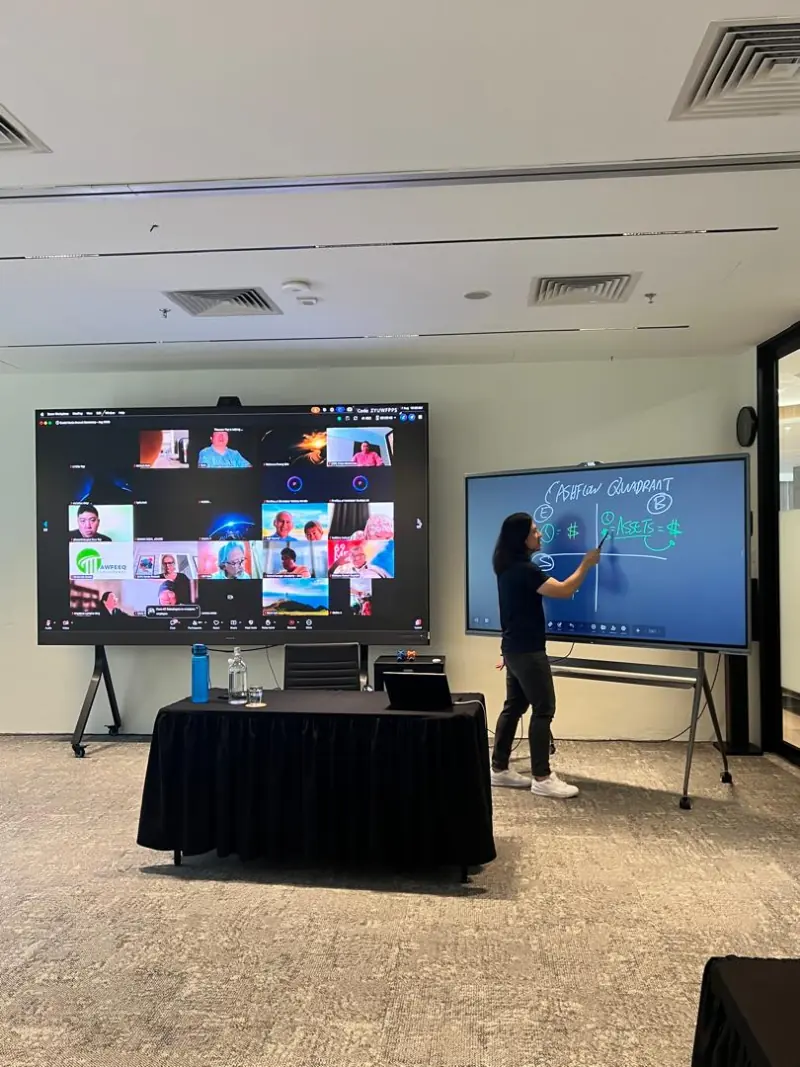
For online participation, include the sound test. A remote colleague should be able to hear someone speaking from across the table, while people in the room should hear the remote reply clearly. Ask how the camera frames participants and whether shared material reaches the online audience.
Ask how the internet will support your session
Tell the venue whether you will be presenting locally or running a video call with guests using their own devices. Ask whether internet access is shared with other spaces and whether guest access requires a login. If your organisation restricts external networks or wireless sharing, involve your IT colleague before confirming compatibility.
Request a test using your intended meeting platform where possible. For a closer look at remote participation, our guide to Hybrid Meeting Room KL: What Makes a Room Ready? explains the equipment questions to bring to your shortlist.
Confirm who will help during the meeting
A clear equipment list should come with a clear support arrangement. Ask who prepares the room and who helps if your laptop will not connect. Establish whether assistance covers the initial setup or remains available during your booked session.
Describe any requirements beyond presenting slides, such as recording or managing remote speakers. Ask which tasks are included and which need a separate arrangement. An on-site assistant and a dedicated event operator may cover different responsibilities, so have the scope confirmed in writing.
Keep the venue contact and your booking confirmation available to whoever will open the meeting. That person should know how to request help without leaving participants uncertain about what happens next.
Assess the whole arrival route
Compare locations against where your guests will travel from. For those using public transport, check the route from the station entrance to the correct building. For drivers, ask where to park and whether parking is paid separately.
The last part of the journey deserves attention too. Confirm the tower entrance, visitor registration process and lift access. Ask about step-free access if a guest needs it, rather than assuming that an accessible building entrance guarantees access throughout the route.
Your invitation should give the full destination and practical arrival instructions. A mall name alone may leave guests searching for the office entrance. Allow for the journey through reception when deciding when guests should arrive.
Read the total price and booking terms together
Compare quotations using the same duration and equipment requirements. Ask for a written total that identifies any catering or additional service charges. Check whether tax is included and whether your chosen date attracts a weekend or public holiday fee.
Confirm when your access begins and ends. If setup and packing away fall within the reserved period, your agenda must leave room for both. Ask how extra time is charged and whether an extension depends on availability.
Cancellation deserves the same care as the price. Check whether notice is measured in working days, when a request takes effect and whether a promotional booking receives credit instead of cash. If dates may change, read the rescheduling conditions before choosing the offer.
Our Meeting Room Rental KL: Inclusions and How to Book guide provides more context on matching the package to your meeting. Use the current booking page and terms for the offer that applies to your date.
How Maxsmart Event Space fits this checklist
Maxsmart Event Space is at Level 13, Corporate Tower 2, Pavilion Damansara Heights, Kuala Lumpur. Nexus Executive Boardroom seats up to 18 around one table; Synergy Suite accommodates up to 72 in theatre seating or 36 in classroom seating. Current room details
| Room | Standard hourly rate | Half day, 4 hours | Full day, 8 hours |
|---|---|---|---|
| Nexus Executive Boardroom | RM300 | RM1,200 | RM1,800 |
| Synergy Suite | RM600 | RM2,300 | RM3,600 |
Prices include SST, with a 2-hour minimum. Nexus has a 98-inch interactive display and a conferencing camera; Synergy adds an LED wall, smart lectern and PA system. Every booking includes 1Gbps Wi-Fi, an on-site tech assistant, USB-C and wireless sharing, a smart whiteboard and filtered water. Catering is available on request, and guests pay separately for parking. Published rates and inclusions
FIRST50 gives eligible companies 50% off their first room booking. Book and hold your meeting by 31/12/2026; the weekend or public holiday fee remains payable at its usual rate. First-booking conditions
Our booking terms include setup and pack-down within your reserved time. Standard bookings have different cancellation windows for each room, while promotional bookings receive credit when cancelled within the applicable full-refund period. Read these conditions alongside your selected slot before payment. Booking terms
Frequently asked questions
What should I check before renting a meeting room in KL?
Check capacity in your intended layout, screen visibility, Wi-Fi suitability, technical support and the arrival route. Before paying, confirm the total price, setup access and cancellation terms in writing.
How do I choose the right meeting room size?
Count everyone attending in person, including presenters and organisers, then confirm capacity for the arrangement you need. Ask whether every participant will have table space if the session involves laptops or written work.
What equipment should a hybrid meeting room have?
Check for a suitable display, camera, microphones and speakers, together with internet access that supports your intended call. Request a test on your meeting platform so you can assess screen sharing and sound from both ends.
Does meeting room rental include setup time?
Ask whether setup access is included within the paid slot or provided separately. At Maxsmart Event Space, setup and pack-down count within your reserved time, so allow for them when choosing the booking duration.
Can I get a refund if I cancel a Maxsmart meeting room?
Standard Nexus bookings qualify for a full refund with at least 7 working days’ notice, while Synergy Suite requires at least 14 working days. Promotional bookings have no cash refund; cancellation within the applicable full-refund period provides credit for a booking within 3 months.
To check availability and book the room that fits your meeting, visit Maxsmart Event Space.