
How to Host a Hybrid Meeting That Includes Everyone
To host a hybrid meeting, give remote guests the same access to the discussion and decisions as people in the room. Assign someone to watch the online audience, test the connection from a remote guest’s position and use a run sheet that includes both groups throughout.
Decide what everyone needs to contribute
Start with the outcome you need from the meeting. A project review needs space for questions and decisions, while a briefing may need a presentation followed by a moderated discussion.
Write the agenda around that outcome, and explain what guests should prepare. Include the meeting link and the start time with its time zone, especially when colleagues are joining from outside Malaysia.
Share the same background documents with everyone before the meeting. Knowledge SUCCESS’s hybrid meeting guidance recommends giving online participants the information available to guests attending physically.
Our suggestion is to mark each agenda item with the contribution you need: a question to answer, a proposal to review or a decision to make. This gives remote guests a clear reason to speak, even when they cannot read the room’s body language.
Give the online audience a named moderator
The chair should guide the discussion, while a moderator watches the meeting platform. Agree who will handle admission requests and bring raised hands to the chair’s attention.
The University of Basel’s hybrid meeting guide recommends having someone monitor the conferencing application. It also advises explaining communication rules at the start and allowing people to speak without competing conversations.
Make those responsibilities practical. The moderator can interrupt politely when a remote guest has been waiting, while the chair can stop a side discussion and bring it back to the shared conversation.
Keep technical support separate from the responsibility for participation. Someone checking a camera connection may be unable to notice an unanswered question in chat, so agree who watches the audience during troubleshooting.
Test what remote guests actually hear and see
Run a rehearsal with someone joining from outside the meeting room. Ask them to listen as people speak from the seats you intend to use, then speak back so you can check the sound in the room.
Share the actual presentation through the meeting platform. Ask your remote tester to read a detailed slide and confirm that any planned video is audible, rather than relying on how it looks on the room display.
Check the audio connections on extra laptops. Zoom’s guidance on meeting echo advises disconnecting computer audio on additional devices in the same conference room; muting a microphone alone leaves the speaker active.
For the physical arrangement, our hybrid meeting room setup guide is a useful companion. Keep your rehearsal focused on the setup you will actually use, including any change between a seated speaker and a presenter at the front.
Use a run sheet that protects participation
An agenda tells guests what the meeting covers. Your run sheet should also tell the organising team who acts at each stage and what must happen before you move on.
The template below compares responsibilities across the meeting. Add your own timings beside each stage once the agenda is agreed, and keep it available to the chair and moderator.
| Stage | Chair’s responsibility | Moderator’s responsibility | Check before moving on |
|---|---|---|---|
| Before admission | Confirm the intended outcome and presentation order | Join remotely for the final connection check | Speech and shared content work in both directions |
| Welcome | Explain how guests can ask to speak | Confirm online guests can hear and access documents | Both audiences know how to contribute |
| Each agenda item | State the question being discussed | Watch raised hands and chat | Remote contributions enter the discussion |
| Before a decision | Summarise the proposal aloud | Ask whether online guests have outstanding questions | Everyone has heard the same proposal |
| Break, if planned | Announce the return time and time zone | Put the return time in chat | Remote guests know when discussion resumes |
| Close | Read back decisions and action owners | Check for unresolved online questions | The shared notes reflect the agreed outcome |
For each discussion, invite comments from online guests before moving to the next item. Avoid treating silence as agreement; ask a clear question and leave space for a reply.
If someone writes a substantive question in chat, bring it into the spoken discussion. This lets guests in the room hear the question and gives the response a place in the shared notes.
Agree what happens when the connection fails
Before guests arrive, agree how the chair will respond if remote participants lose access. Our recommendation is to pause any decision that requires their contribution until they can rejoin or another agreed method is available.
Give the moderator a way to contact the chair without interrupting a speaker unnecessarily. A short message can flag that the presentation has stopped sharing or that a guest is trying to return.
If the room keeps talking during a technical interruption, summarise that discussion when the connection returns. Give remote guests the opportunity to question it before treating the outcome as settled.
Finish with a shared record of decisions and responsibilities. Include unresolved questions in the follow-up, and ask specifically whether remote guests could contribute when they needed to; that feedback can guide your next rehearsal.
How Maxsmart Event Space fits a hybrid meeting
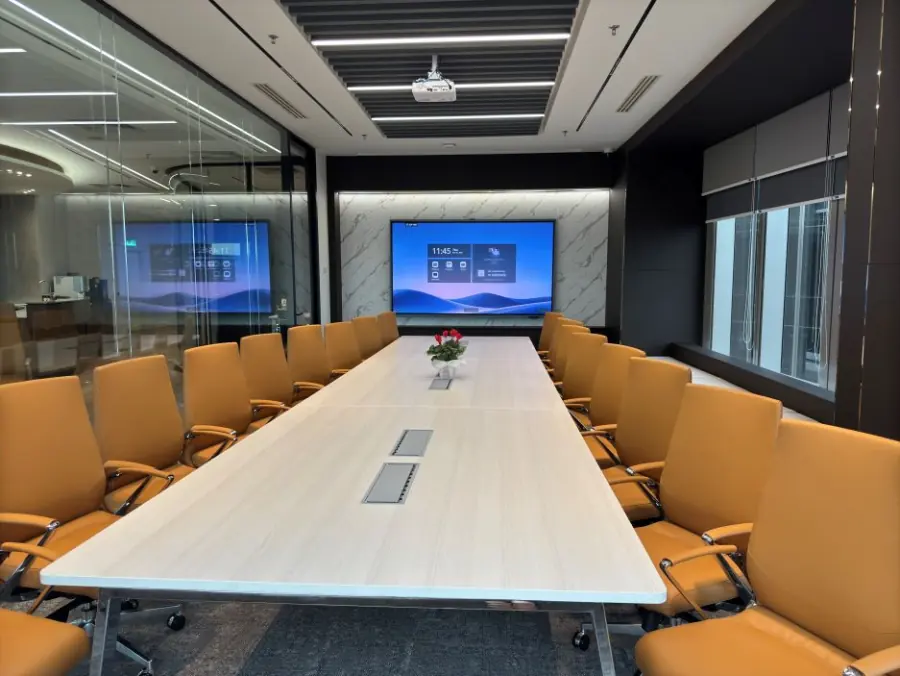
We welcome you at Maxsmart Event Space, Level 13, Corporate Tower 2, Pavilion Damansara Heights, Kuala Lumpur. Nexus Executive Boardroom seats up to 18, with a 98-inch interactive display, speaker-tracking camera and 360° audio.
Nexus costs RM300 per hour, RM1,200 for a half day or RM1,800 for a full day. Synergy Suite accommodates up to 72 in theatre style or 36 classroom style, with an LED wall, PA system, smart lectern and live streaming.
Synergy costs RM600 per hour, RM2,300 for a half day or RM3,600 for a full day. Both rooms include screens, 1Gbps Wi-Fi, an on-site tech assistant and filtered water, with support for Teams, Zoom, Google Meet and Webex.
Prices include SST, with a minimum booking of 2 hours. FIRST50 gives companies 50% off their first room booking: book by 30/11/2026 and meet by 31/12/2026; weekend and public holiday fees remain payable at the usual rate. These details follow our current room information.
When comparing the room with your agenda, our hybrid meeting room readiness guide provides further context. Allow for your rehearsal within the time you reserve, and confirm the intended layout against how guests will participate.
Frequently asked questions
What is a hybrid meeting?
A hybrid meeting brings people in a physical room together with guests joining online. For an interactive meeting, both groups need a practical way to hear the discussion and contribute.
What equipment do you need to host a hybrid meeting?
You need a meeting platform, an internet connection and suitable equipment for sound and video in both directions. Include a way to share presentation content directly with remote guests, then test the complete setup before the meeting.
How do you keep remote participants engaged in a hybrid meeting?
Assign a moderator to watch raised hands and chat, and invite online contributions during each relevant agenda item. Share the same materials with everyone and address remote questions before closing a discussion.
How do you prevent echo in a hybrid meeting?
Check whether additional devices in the room have joined with their audio active. Zoom recommends disconnecting computer audio on those extra devices, because muting the microphone alone leaves their speakers connected.
What should a hybrid meeting run sheet include?
Include the agenda stages, the person responsible at each stage and the checks needed before moving on. Add reminders to invite remote contributions, confirm proposals before decisions and explain what happens during a connection failure.
To check availability and book your room, visit maxsmart.com.my.
