
Hybrid Meeting Room Equipment: What You Need
Hybrid meeting room equipment needs to cover video, sound, shared content and the connection between your room and remote guests. The essentials are a camera, microphones, speakers, a display, a meeting computer or compatible laptop, and reliable internet. Before booking, check how these work together with your meeting platform and seating layout.
The hybrid meeting room equipment checklist
Use this checklist when reviewing a venue's equipment list. Ask for a demonstration of the complete meeting connection, especially if different people will present from their own laptops.
| Equipment | What it does | What to check |
|---|---|---|
| Conference camera | Shows people in the room | Everyone who needs to speak appears clearly |
| Microphones | Sends room voices to remote guests | Natural speech is audible from the furthest seat |
| Speakers | Plays remote guests' voices | People throughout the room can hear comfortably |
| Display | Shows participants and presentations | Detailed content is readable from the back |
| Room computer or host laptop | Runs the meeting platform | The organiser can sign in and access meeting controls |
| Content-sharing connection | Sends slides or documents | Content reaches both the room and remote guests |
| Network and power | Keeps the session connected | The host device stays online and powered |
These functions may be combined within integrated equipment or handled by separate devices. The configuration should suit the room and how people will participate, as explained in this hybrid room design guide.
Check microphone coverage and the remote audio feed
Start your sound check with someone joining from outside the room. Ask people at different seats to speak normally, then have the remote guest describe what they hear. This reveals whether quieter contributors need to move or whether the microphone arrangement needs attention.
For a presentation with audience questions, check the question route separately. A microphone that makes a speaker audible through the room's PA system still needs to reach the online meeting. Ask the technician to demonstrate that connection before guests arrive.
A larger session may need different microphone arrangements for a moving presenter and audience contributions. Microsoft's hybrid event guidance explains why audio requirements should follow the event format.
Keep the room's audio arrangement clear when colleagues join from additional laptops. They can use those devices for meeting content while keeping their audio off, following Microsoft's meeting room guidance. Our hybrid meeting room setup guide provides further reading on preparing sound and video.
Match cameras and displays to participation
Plan the camera view around the conversation you expect. A seated board discussion needs coverage across the table, while a workshop may need to show a presenter moving between the lectern and a writing surface.
During rehearsal, ask the remote participant to identify who is speaking without help. Check the seats at the edges of the picture and observe what happens when someone stands. Camera coverage and seating should be planned together, rather than judged from resolution alone.
Lighting deserves the same attention. Avoid placing a bright light source directly behind the speaker, and review faces through the actual meeting preview. Microsoft's hybrid event guidance recommends balanced lighting so presenters remain visible.
For the display check, use the material you intend to present. Open your detailed spreadsheet or workshop slide and view it from the furthest seat. Decide how remote participants will remain visible during discussion, particularly when the main screen is occupied by shared content.
Confirm the laptop and platform workflow
Find out whether you will join through the room system or your own laptop. Confirm who will hold the organiser account and control admission, since equipment availability alone doesn't establish those responsibilities.
If you're bringing a laptop, check how it connects to the room camera and audio devices. In Teams, for example, the pre-join screen lets you select connected room audio; Microsoft's meeting room mode instructions explain the supported workflow. Check the selected camera as well, so remote guests see the room view you intended.
Treat presentation sharing as a separate rehearsal step. Open the deck on the room display, share it into the online meeting, and ask the remote guest to confirm visibility. If the session includes video, test its sound rather than assuming the presentation connection carries it.
Prepare a short handover note for anyone taking over as host. Record which device joins the call, how presenters share content, and who can help if the connection needs attention. The wider equipment ecosystem includes conferencing software and content-sharing tools, as this equipment overview describes.
What is built into Maxsmart Event Space rooms?
We're at Level 13, Corporate Tower 2, Pavilion Damansara Heights, Kuala Lumpur. The live room details list these facilities and rates.
Nexus Executive Boardroom
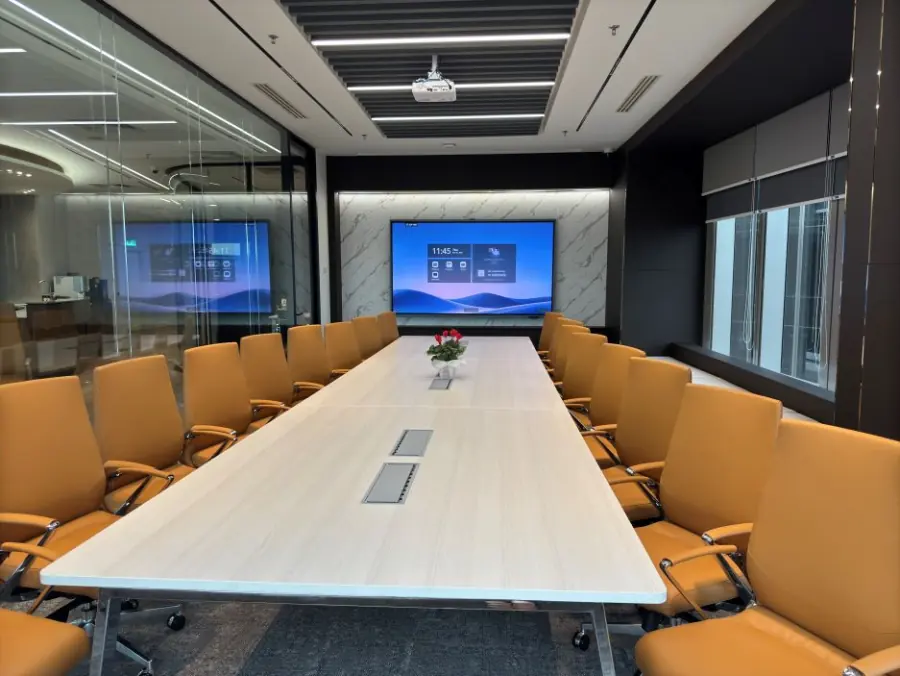
Nexus seats up to 18, with a 98-inch MAXHUB interactive display, a speaker-tracking 4K camera and 360° audio. Standard rates are RM300/hour, RM1,200 for four hours or RM1,800 for eight hours.
Synergy Suite
Synergy accommodates up to 72 in theatre seating or 36 in classroom seating. Equipment includes a 138-inch LED wall, two supporting displays, a smart lectern, professional PA, and live streaming and recording facilities. Standard rates are RM600/hour, RM2,300 for four hours or RM3,600 for eight hours.
Both rooms include 1Gbps Wi-Fi, an on-site tech assistant, USB-C and wireless sharing, a smart whiteboard, and support for Teams, Zoom, Google Meet and Webex. Prices include SST, with a two-hour minimum; weekends and public holidays attract an additional fee.
FIRST50 gives eligible first-time companies 50% off the room rate: book by 30/11/2026 and meet by 31/12/2026. The weekend fee remains payable at its usual rate.
Rehearse the session your guests will experience
Make the rehearsal follow your agenda, including the presenter handover and audience questions. Have a colleague join remotely and report whether they can follow each transition. A successful opening slide doesn't tell you whether the discussion will work later.
If you're recording, include a short playback check and confirm who is responsible for starting and retaining the recording. Agree how remote questions will reach the chair, and assign someone to watch the meeting chat while the presenter speaks. These are useful planning tasks to settle alongside the equipment check.
For a broader venue assessment, our guide to what makes a hybrid meeting room ready complements this checklist. Keep your rehearsal notes with the agenda so the host has them available on the day.
Frequently asked questions
What equipment do you need for a hybrid meeting room?
You need a camera, microphones, speakers, a display, a meeting computer or compatible laptop, and reliable internet. You also need a way to share content with both in-room and remote participants.
Can I run a hybrid meeting from my own laptop?
Yes, where the room supports connecting your laptop to its conferencing equipment. Confirm the connection method and select the room camera, microphone and speakers before joining.
Is a webcam enough for a hybrid meeting?
A webcam handles video, but you still need suitable audio, a display and content sharing. Check whether its picture includes everyone who needs to contribute from the planned seating positions.
How do you prevent echo in a hybrid meeting room?
Use the room's intended audio system and keep audio off on additional laptops joining from the same room. Test with someone outside the room so they can report any echo before the session begins.
Do remote participants see what is on the meeting room screen?
Check this separately rather than assuming the room display is being shared online. Ask a remote participant to confirm they can see the slides, annotations or whiteboard content you intend to discuss.
Check availability and book your room at maxsmart.com.my.
