
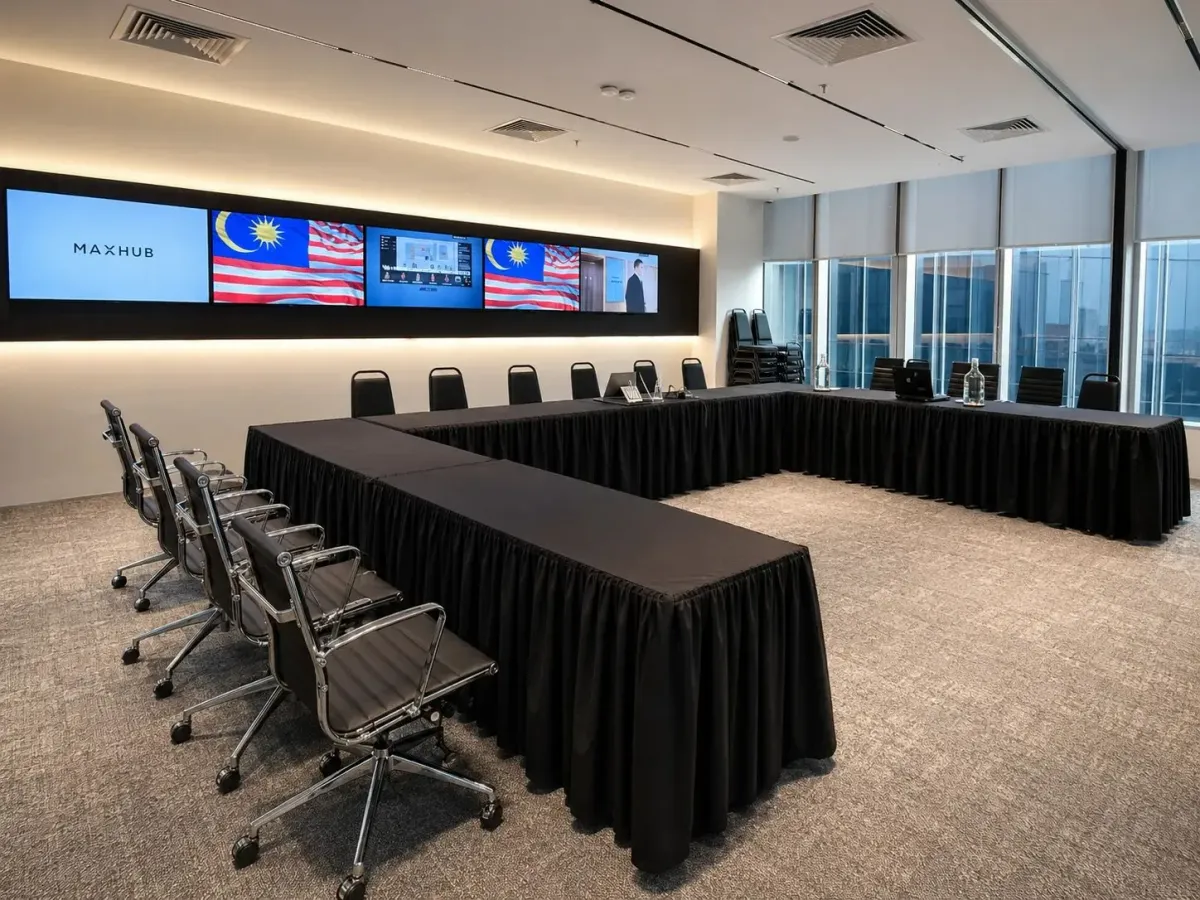
Workshop venue KL: room to move and screens to see
A good workshop venue in KL should give participants space to work together, a clear view of the teaching material and equipment prepared before the session begins. Choose your room by the activities in your agenda and the seating layout you need, then confirm the setup arrangements before booking.
Choose a layout that suits the workshop
Start with what participants will actually do. A presentation followed by questions needs a different arrangement from a workshop where teams build ideas around shared tables. Write the activities into your venue brief so the proposed layout reflects the session.
Use this comparison as a planning guide. Ask the venue to confirm capacity for your chosen arrangement, including any space needed for materials.
| Layout | When to consider it | What to check |
|---|---|---|
| Classroom | Laptop exercises and guided learning | Table space, power access and a clear view from each seat |
| Clusters | Collaborative tasks and group discussion | Space between tables and how participants face the screen |
| U-shape | Facilitated discussion with shared demonstrations | Confirmed capacity and an unobstructed teaching area |
| Boardroom | A small workshop centred on discussion | Whether the table arrangement suits every planned activity |
| Theatre | Presentation-led sessions | Where participants will write or complete practical work |
A headline capacity alone won't tell you whether a room suits your workshop. Ask for a layout showing the furniture in place, rather than relying on photographs of an empty room. Our training room setup guide is a useful companion when comparing arrangements.
Leave room for people to move
Work through the agenda as though you were attending. Consider where you would put your bag, move your chair and stand during an exercise. Check whether the facilitator can reach each group without asking others to move.
If participants will rotate between tables, mark those routes on the proposed layout. Keep entrances and exits clear, and identify somewhere suitable for workshop materials. Confirm any wall use or temporary displays with the venue before planning an activity around them.
For a hands-on session, describe the materials you intend to bring. Paper worksheets need a different amount of working space from physical models or large sheets used for group planning. Ask whether the suggested guest count still works once those materials are on the tables.
Avoid making furniture changes part of an already tight agenda. If a change is necessary, agree who will move the furniture and when it can happen. The booking should allow enough time for the arrangement your workshop needs.
Test the screen from the participant's seat
Check visibility using the material you plan to teach. Open a detailed slide or worksheet on the room display and view it from the furthest seat. Repeat the check from the side of the room, where the viewing angle may differ.
Try this with the lights set for normal workshop use. Participants may need to read printed notes while following the screen, so assess both tasks together. Ask whether the proposed furniture arrangement leaves anyone looking past another participant or around the presenter.
For collaborative sessions, establish how groups will share their work. Confirm whether participants can connect their own laptops and whether an adapter is needed. If you intend to use a digital whiteboard, check how you can retain the work afterwards.
Our seminar seating and technology guide provides related planning context. For your workshop, make the final decision with your actual teaching files and intended seating arrangement.
Agree the setup before the day
Give the venue a written brief covering the layout and the equipment you intend to use. Include your arrival time and the point at which participants will enter. Ask when the room will be ready and whether preparation time falls within your paid booking.
Prepare a short technical check with the facilitator's own laptop. Open the presentation, test any embedded sound and practise switching to the exercise files. If another presenter will take over, test that handover too.
Confirm who can help if a connection needs attention during the workshop. An equipment list tells you what is available; the setup agreement should explain how you will begin using it. Keep a local copy of essential teaching files as a practical backup.
If remote participants are joining, include them in the rehearsal. Check what they can hear during group discussion and what they will see during practical work. Decide how they will contribute before finalising the agenda.
Compare the total cost and arrival arrangements
When comparing coworking centres, hotels or dedicated event spaces, request prices for the same layout and booking duration. Ask each venue to identify what is included and which requested services cost extra. This gives you a clearer comparison than an hourly headline price.
Confirm catering separately, including dietary requirements and where food will be served. If you plan to use a lounge for an exercise, establish whether it is available for that purpose. Don't build breakout activities around an area whose use hasn't been agreed.
Check the route from the building entrance to the room. Your arrival information should explain the correct tower and lift access, alongside parking or public transport guidance. Ask about step-free access where needed, and allow for your own registration arrangements.
Before paying, review the cancellation terms and the process for changing the guest count. Keep the agreed setup with your booking details so the facilitator and organiser work from the same information.
How Maxsmart Event Space fits your workshop
We welcome you to Maxsmart Event Space at Level 13, Corporate Tower 2, Pavilion Damansara Heights, Kuala Lumpur. Synergy Suite accommodates 36 in classroom style or 40 in clusters; its 72-person capacity applies to theatre seating. U-shape arrangements are available on request, with capacity to be confirmed for your setup.
Nexus Executive Boardroom seats up to 18 around one table. Consider it for discussion-led workshops; Synergy Suite provides flexible arrangements for group activities. Nexus has a 98-inch interactive display, while Synergy Suite has a 138-inch LED wall with supporting displays.
Standard Nexus rates are RM300 an hour, RM1,200 for four hours or RM1,800 for eight hours. Synergy Suite is RM600 an hour, RM2,300 for four hours or RM3,600 for eight hours. Prices include SST, with a two-hour minimum; weekend and public holiday fees apply separately.
Every booking includes 1Gbps Wi-Fi, an on-site tech assistant, USB-C and wireless screen sharing, a smart whiteboard and filtered water. Our assistant prepares the room before guests arrive. Catering is available on request.
For a company's first room booking, FIRST50 gives 50% off the room rate: book by 30/11/2026 and hold your session by 31/12/2026. Weekend and public holiday fees remain payable at the usual rate. These details are published on the Maxsmart booking page.
Frequently asked questions
What should I look for in a workshop venue in KL?
Look for a layout that supports your activities, clear screen visibility and an agreed setup before participants arrive. Confirm capacity with tables and workshop materials in place.
Which seating layout is best for a workshop?
Consider classroom seating for laptop exercises and clusters for collaborative tasks. A boardroom can suit discussion-led sessions, while theatre seating needs careful consideration if participants must write or make things.
How much does a workshop room at Maxsmart cost?
Standard rates start at RM300 an hour for Nexus Executive Boardroom and RM600 an hour for Synergy Suite, with a two-hour minimum. Half-day rates are RM1,200 and RM2,300 respectively, including SST; weekend and public holiday fees apply separately.
How many people can attend a workshop in Synergy Suite?
Synergy Suite accommodates 36 in classroom seating or 40 in clusters. Its 72-person capacity is for theatre seating, so confirm your intended activities before choosing the layout.
Does workshop room hire include technical support?
At Maxsmart Event Space, every room booking includes an on-site tech assistant and screen sharing facilities. Confirm your laptop connection and teaching files during preparation so the session can begin as planned.
Once you've settled your workshop layout and guest count, check availability and book at Maxsmart Event Space.
